
Whats New? - October 2025
In the run-up to the holiday season, we'll look at how you can now map your own staff names and manage unlisted products in Report Toaster!
Let's take a look.
Staff Names
In Shopify, the Staff Name is the person who processed the order.
Typically, this is for Point of Sale (POS) and Draft Orders, but it can cover several different sales channels depending on your setup.
While Shopify doesn't provide the staff name directly to third-party apps, they DO provide the Staff ID: a 10-digit number that corresponds to each unique member of staff in your Shopify store.
Thanks to this recent update, we can use this Staff ID to map the staff names so that you can include them directly on a report.
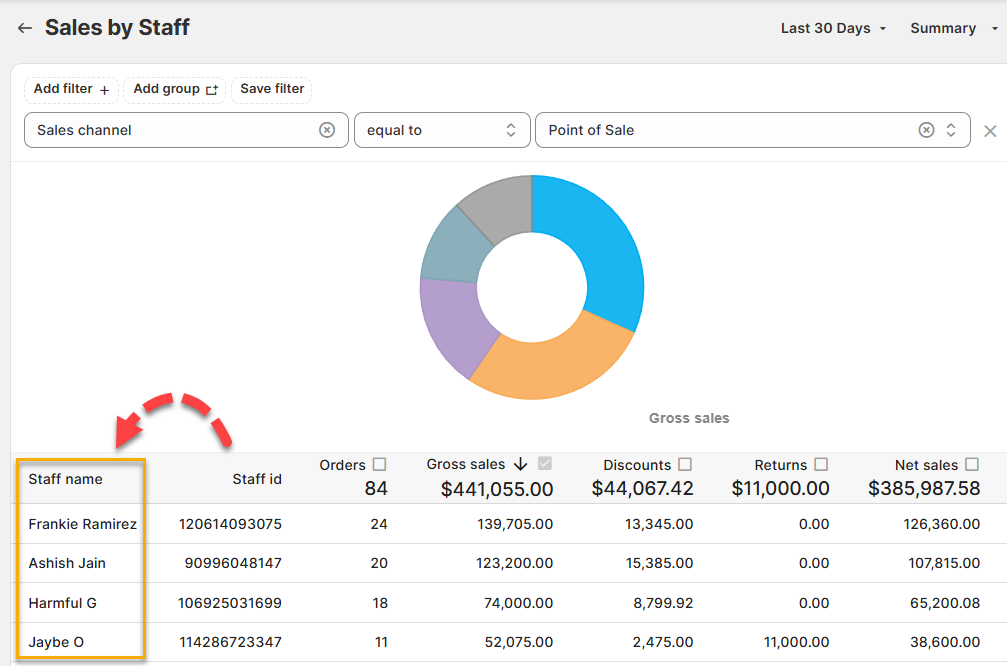
(click image to enlarge)
This feature is available under the Settings menu, and you can read about it in more detail here.
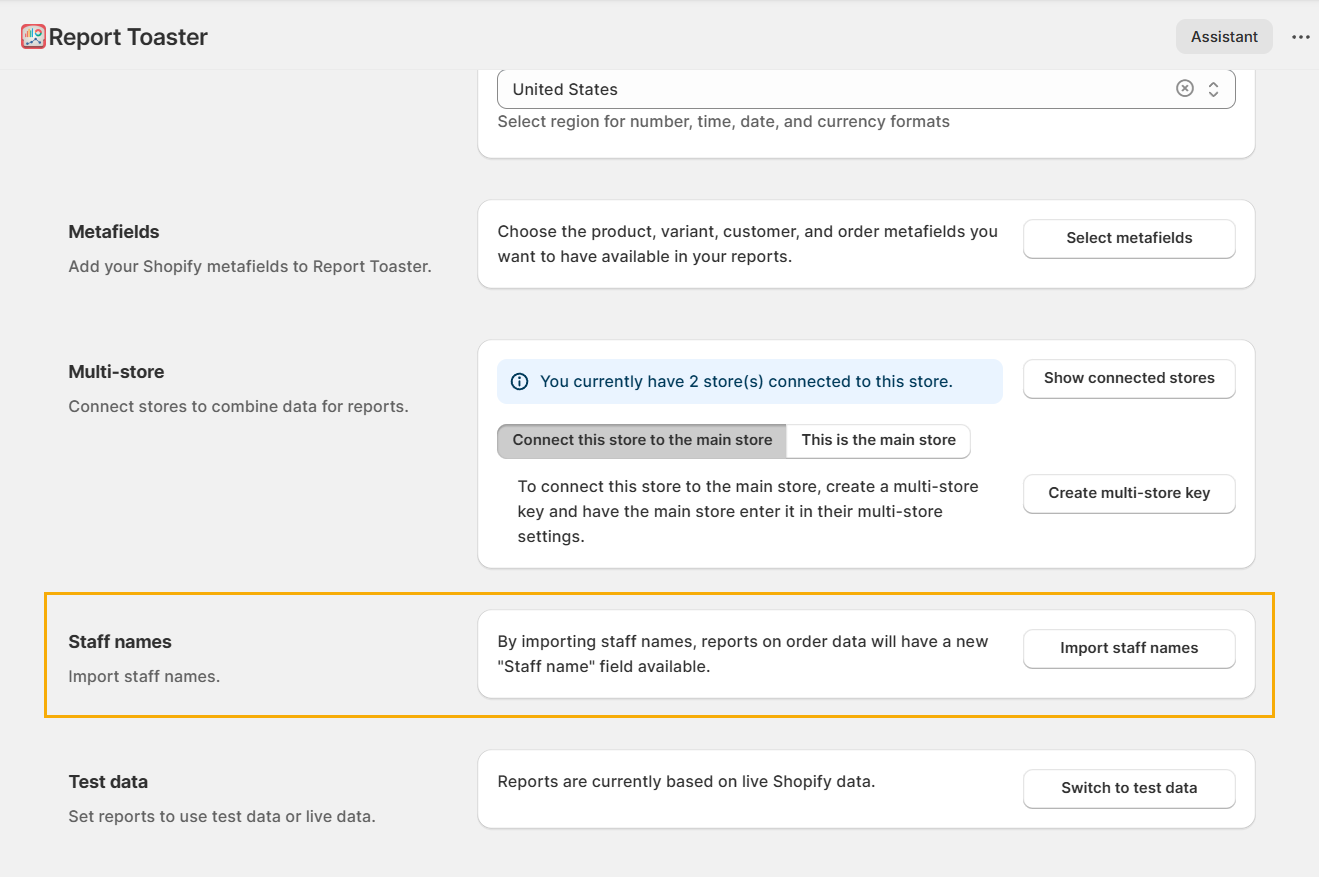
(click image to enlarge)
This works both for Staff Name and Attributed Staff Name, in case you're making use of Attributed Staff in your Sales.
You must be on a paid plan of Report Toaster to have access to this feature. You can sign up at any time by following the directions here.
Unlisted Products
Recently, Shopify added Unlisted to their list of available Product Status options:
Active: The product details are complete and the product is ready to be sold.
Draft: The product details need to be completed before the product can be sold.
Archived: The product details are complete, but the product is no longer for sale. When you archive a product, it's hidden from your storefront and from the main product list in your Shopify admin.
Unlisted: The product details are complete and the product can be sold, but the product can't be discovered by customers.
See their main guide here.
To ensure that unlisted products weren't incorrectly labelled, we updated the Product / Status field in Report Toaster to include this option.
This means you can now see Unlisted products in the Status column and filter your reports accordingly:
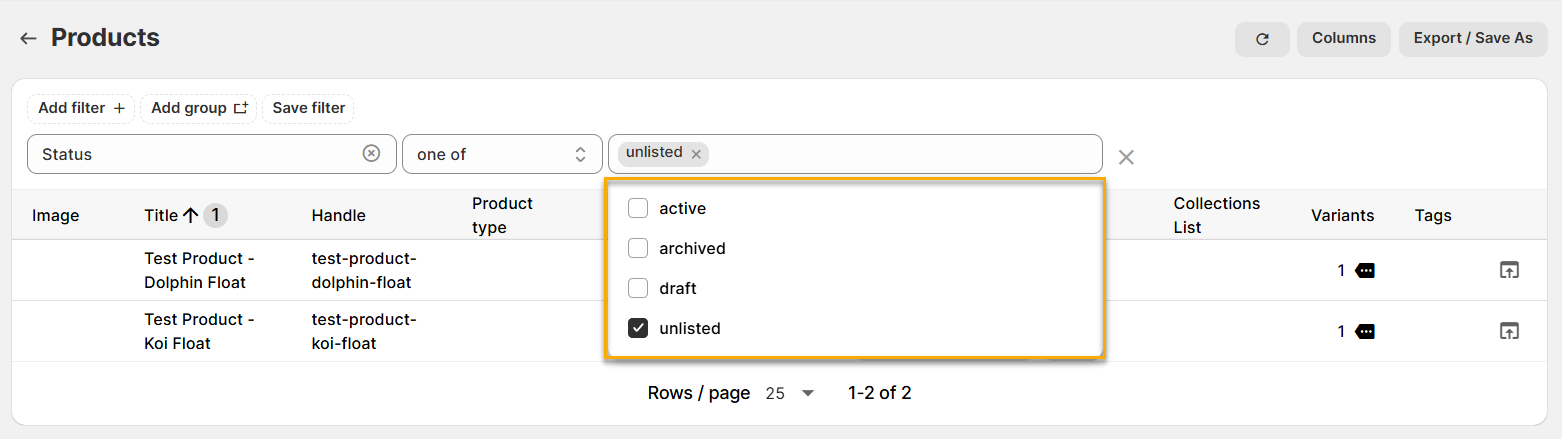
(click image to enlarge)
If you have any questions or need help in setting up something specific for your account, feel free to reach out to us at [email protected]
Until next time!